
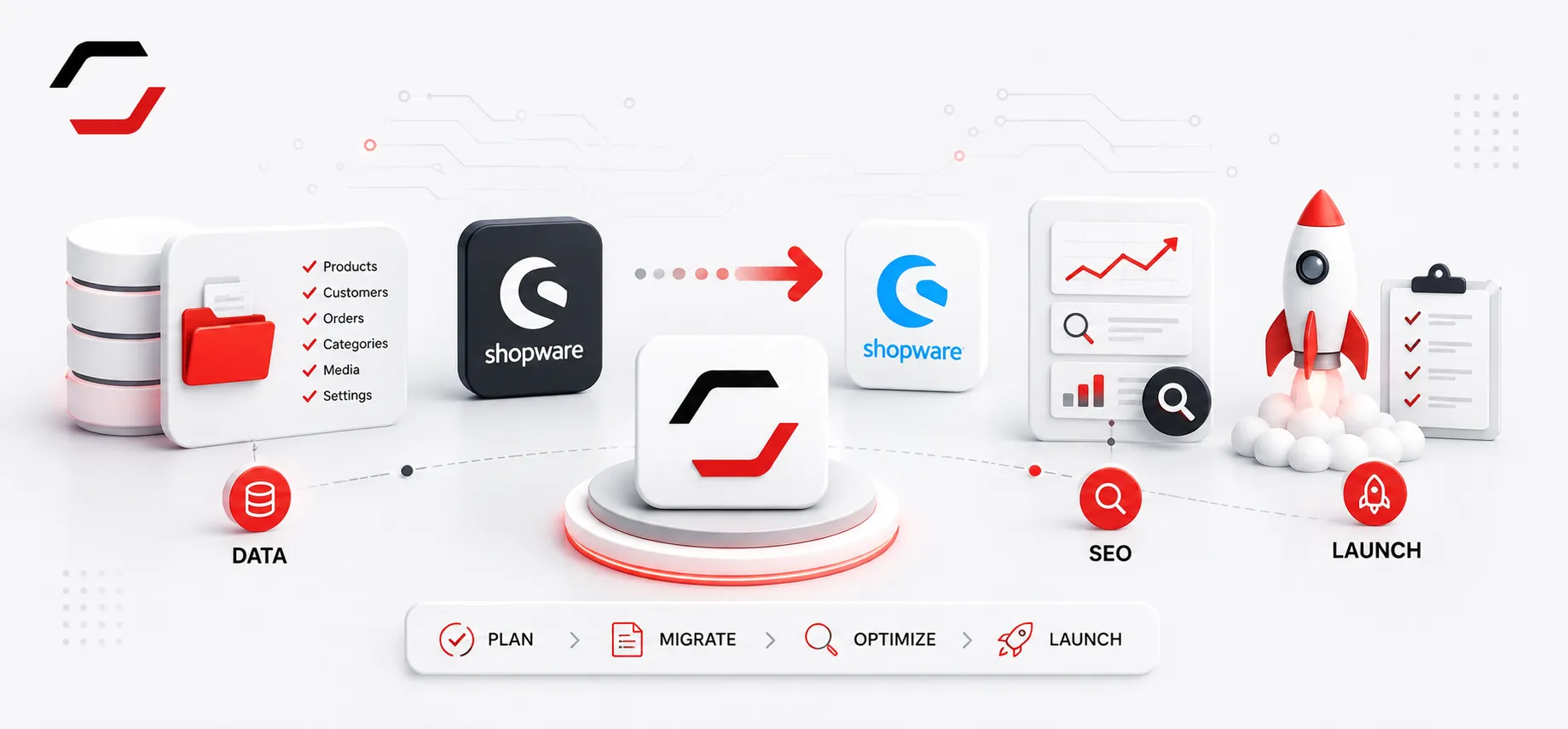
A Shopware migration is a controlled platform change, not a simple content copy. Start by mapping products, customers, orders, media, URLs, integrations and checkout rules.
Discovery, data mapping and SEO redirects
Start with an inventory of products, variants, categories, media, customers, orders, content, URLs, plugins, theme work and every ERP, PIM, payment, delivery or marketplace connection. Define which system owns each data type, clean incomplete records and map source fields to Shopware before importing anything. Important URLs need a tested 301 redirect map; metadata, canonical URLs, language variants and indexable pages must be checked before launch. Themes, CMS elements and third-party plugins should be assessed individually because not every feature can be transferred automatically.
Staging, launch and post-launch validation
Run the migration in staging first. Test imported catalogues, media, customer access, checkout, payments, shipping, search, emails, indexing, scheduled tasks and critical integrations. Plan the final cutover with a data-freeze point and rollback path. After launch, validate redirects, Search Console indexing, errors, real orders, order status changes and stock updates. The first days after release are part of the migration, not an afterthought.
Planning a move to Shopware 6?